They’re here.
You’re still at the desk.
Send a client-arrived signal to the configured staff screens. Reception stays available while a colleague responds.
Explore staff paging ↗From a client’s arrival to the next ready room. Connect reception, doctors, and technicians with a quiet signal, and know someone is on the way.
30 days free · No credit card · Your existing devices
Small handoffs happen all day. Give each one a clear destination, without another walk down the hall.
Send a client-arrived signal to the configured staff screens. Reception stays available while a colleague responds.
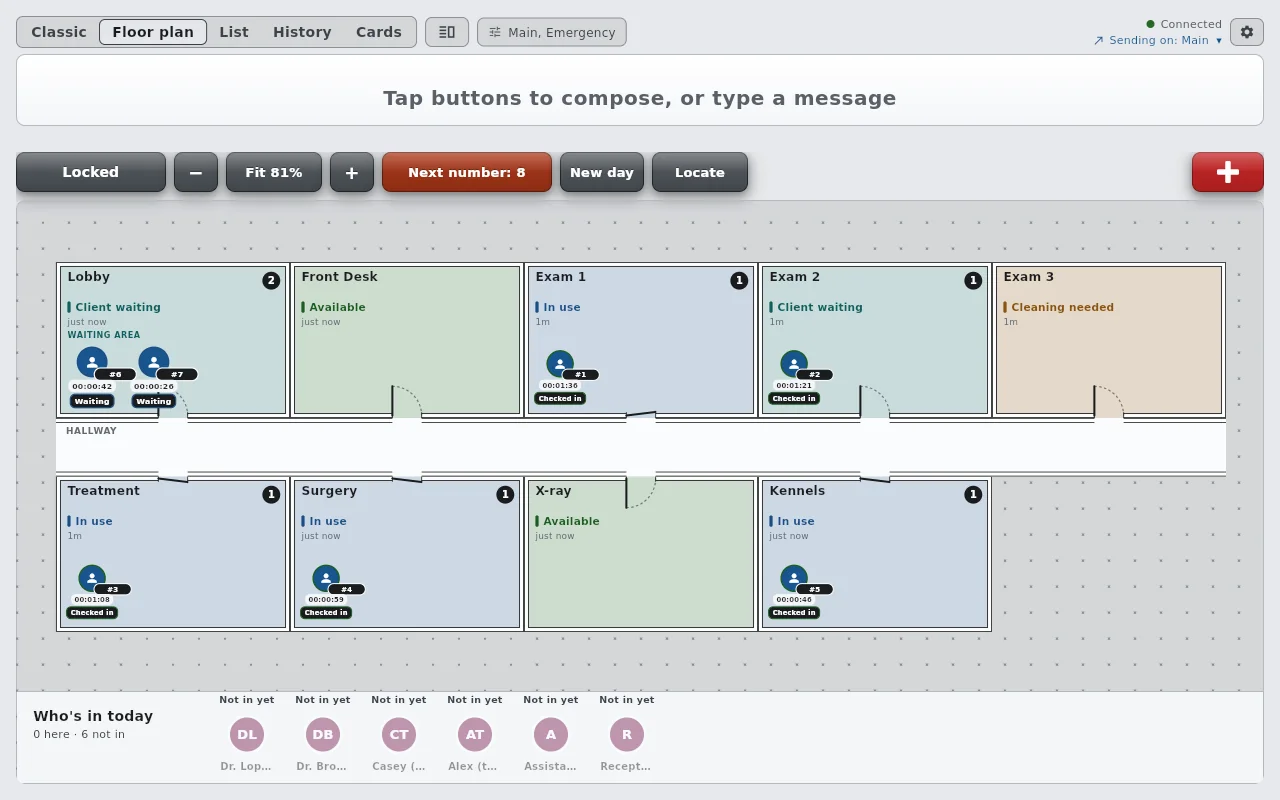
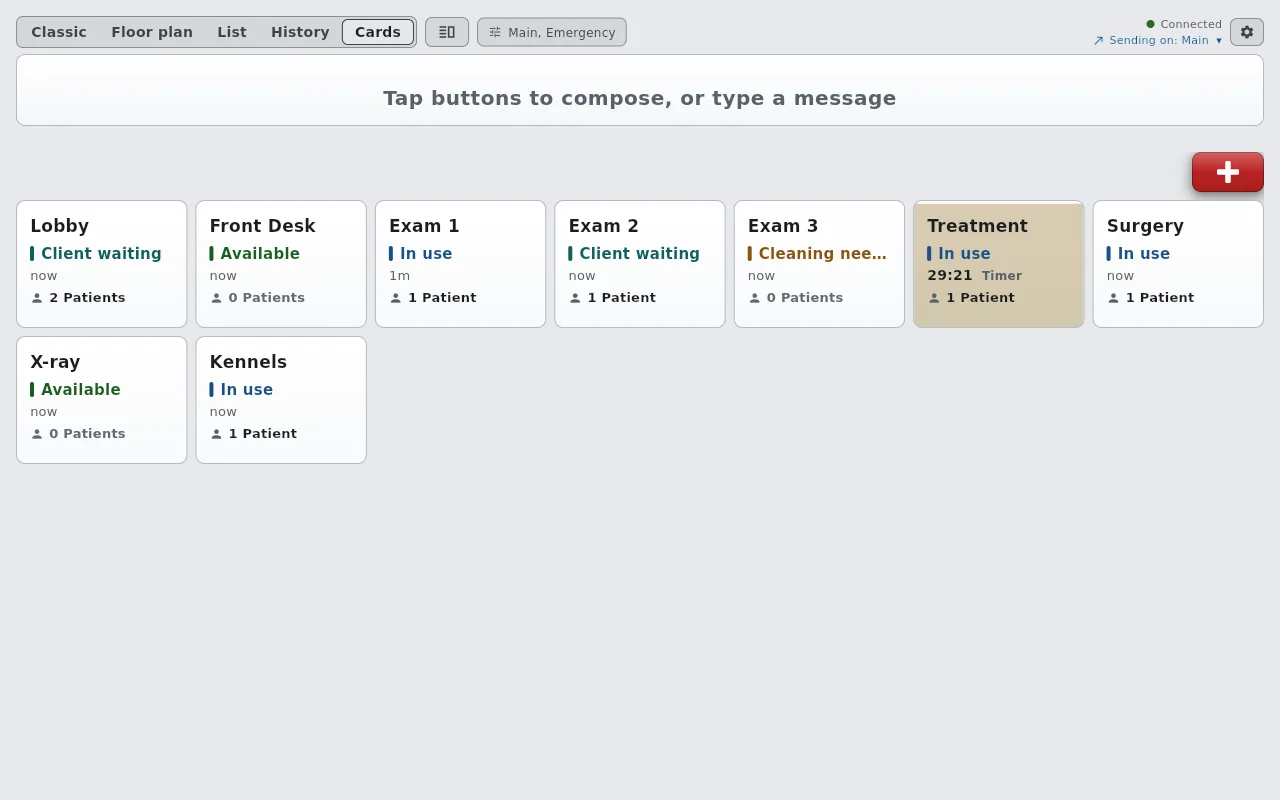
Explore staff paging ↗Available, In use, Cleaning needed. Keep the team’s latest room update visible before the next visit begins.
See room states ↗Ask a technician or assistant for help with a short, structured request. An acknowledgement lets you know they responded.
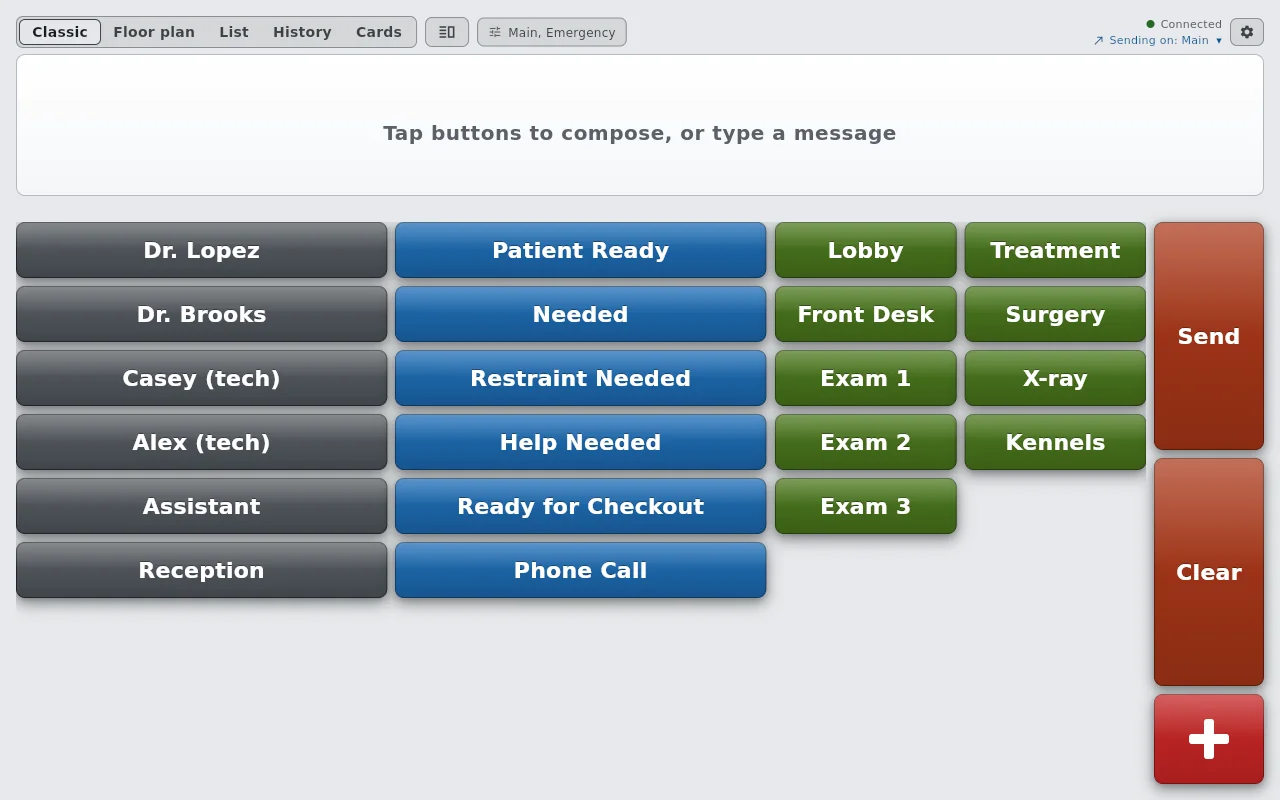
Follow the handoffs ↗Choose Dr. Lopez, Patient Ready, and Exam 1 on reception’s screen. Send, then answer On My Way on a room device. Change any room state to update all three screens silently.
The buttons are the app’s Veterinary clinic setup, in its Classic look.
Loading the interactive board…
Keep visual-only alerts where clients and patients are being seen. Choose a gentle tone where a staff notification helps.
Real screens from our demo clinic, Willow Creek Animal Hospital. The same apps run on phones, tablets, and computers.
Your practice software manages the visit. AltoSignal helps a colleague know where they’re needed next.
Reception signals the doctor or technician once the patient is ready.
Staff request help and respond, keeping clinical details in the usual systems.
The assigned team member updates readiness after the clinic’s preparation checklist.
Compare staff paging, team chat, and patient whiteboards by the job you need them to do.
Find the right apps, plan your devices, and test the workflow before a busy morning.
Start with 5 devices for $25 per month. Add screens at graduated rates as your team grows. Annual billing gives you two months free.
Calculate your clinic’s price ↗AltoSignal lets staff send short, structured signals between devices. Choose a person, an action, and a location, for example Dr. Lopez · Patient Ready · Exam 2, then send. The recipient can acknowledge without leaving the client they are helping.
Yes. Sound and volume are chosen per device. Keep an exam room screen silent with visual alerts while reception uses a gentle chime. Set up and test each device before opening. The dedicated emergency channel has a separate, fixed alarm.
No. AltoSignal runs on iPhone, iPad, Android, Amazon Fire, Windows, Mac, Linux, and in a browser. You can start with compatible devices you already own and add dedicated screens where useful.
Local delivery lets supported native apps on the same network exchange signals alongside the cloud. Devices still need a working local network. Browser clients and devices at other locations require internet access. Check the local-delivery guide and test your actual setup.
No. AltoSignal is for internal staff coordination. Use roles, actions, and room names rather than patient names or clinical details. Keep medical records, treatment plans, scheduling, and client messages in your existing systems. No integration with your practice software is implied.
Yes. In Setup, on the Get started tab, choose Veterinary clinic, or describe your clinic in a sentence and approve what AltoSignal proposes. You get buttons for doctors, technicians, assistants, and reception, requests such as Restraint Needed and Ready for Checkout, exam and treatment rooms with room states, and a floor plan. Rename anything, and add rooms such as Surgery, X-ray, or Kennels in seconds.
Yes. Owners can invite each team member with their own login, so every signal shows who sent it, or keep shared screens signed in as the clinic. Admins manage buttons and rooms; members send and acknowledge signals.
The first 5 devices cost $25 per month. Additional devices use graduated pricing. Annual billing costs ten times the monthly total, giving you two months free. A 30-day free trial requires no credit card.
Yes. Plan your accounts, device groups, and signal destinations around how your teams work. Local delivery stays within each network; communication between locations needs the internet. Contact AltoSignal to discuss your organization’s setup.
30 days free. No credit card. Start with the devices you already have.
Try AltoSignal with your team ↗